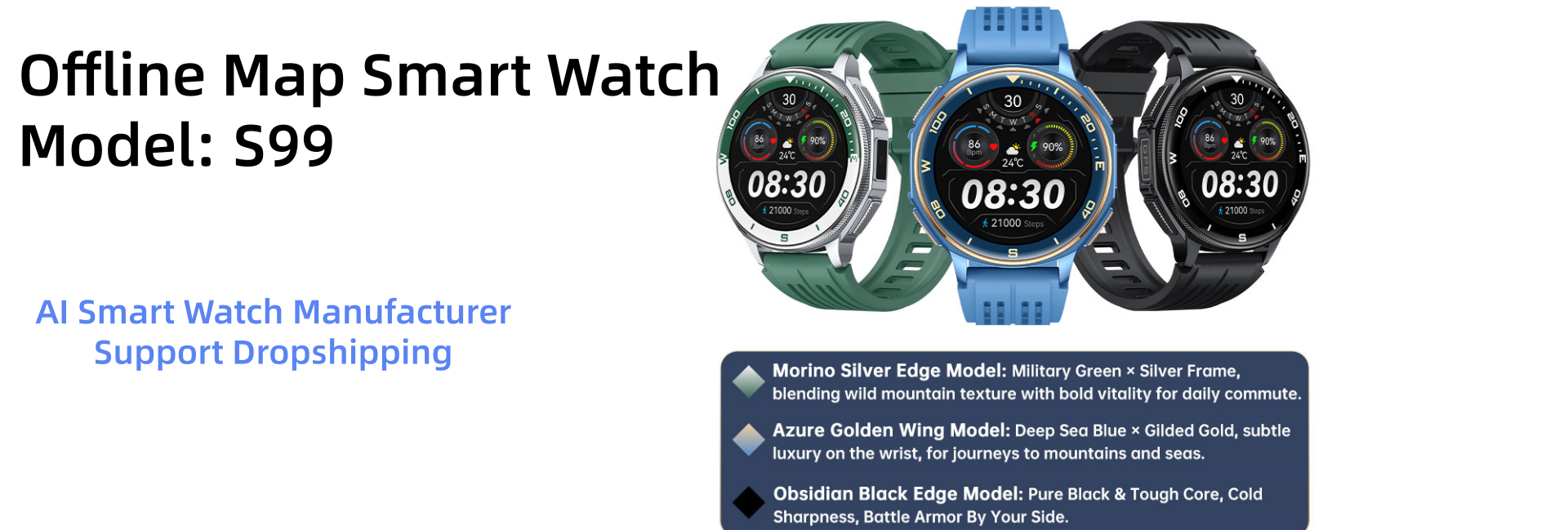
A Kids GPS Smart Watch is a small wearable designed to support a child’s communication, location sharing, and daily routines. It usually combines GPS, cellular connectivity, Wi-Fi positioning, motion sensors, and a companion smartphone app. Parents may see an approximate location, receive an alert when the watch leaves a defined area, or contact the child through approved numbers. The experience feels simple: a child taps one button, while a parent checks a map from work or home.
Industry research shows why these devices are attracting attention. Berg Insight’s connected wearables research identifies children’s smartwatches as a growing segment within the wider wearable technology market. Grand View Research also reports continued expansion in global smartwatch demand, driven by health, safety, and mobile connectivity features. However, market growth does not prove every device is safe or reliable. Ofcom’s Children and Parents: Media Use and Attitudes Report highlights how connected devices are becoming part of children’s everyday lives. That access needs careful supervision.
Sonia Livingstone, a leading researcher in children’s digital rights, states: “Children’s rights in the digital age are human rights.” Her point matters here. Location data is sensitive, even when the intention is protection. A watch can show a blinking pin near a school gate. It cannot explain why that pin is wrong. GPS may drift indoors, batteries can die, and cellular coverage can fail. Parents should review privacy settings, approved contacts, data retention, and emergency procedures before relying on the device. This guide examines how a Kids GPS Smart Watch works, what its features really mean, and where its limits deserve honest reflection.
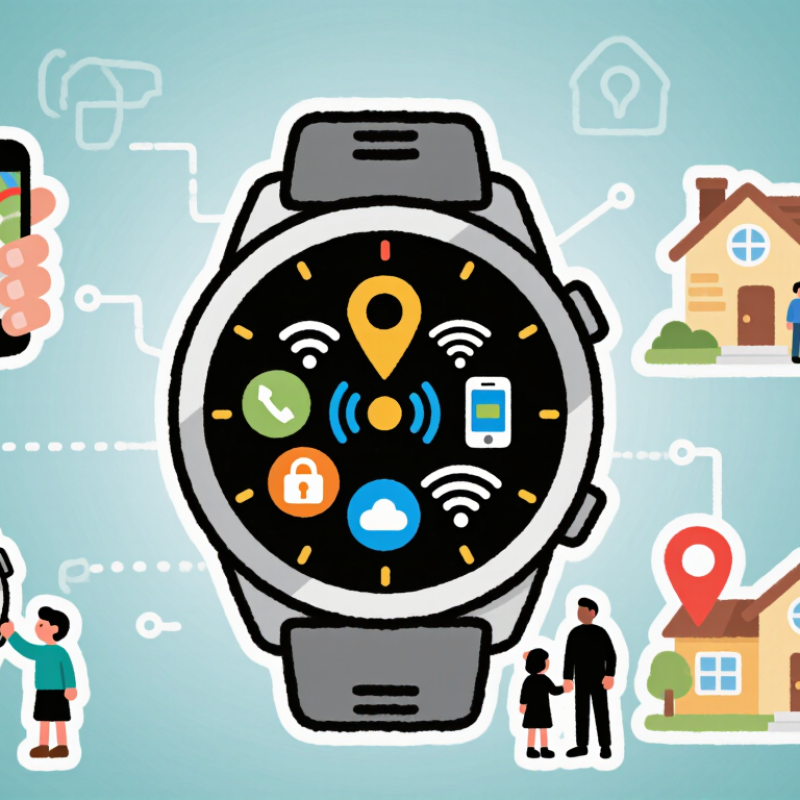
What Is a Kids GPS Smart Watch?
A kids GPS smartwatch is a wearable device designed to help adults stay connected with children. It usually combines satellite positioning, mobile connectivity, a small screen, and safety features in one watch. The GPS receiver estimates the child’s outdoor location by communicating with satellites. Mobile networks then send that location to an approved phone or web account.
The watch may support voice calls, short messages, location sharing, and an emergency contact button. Some models also offer safe-zone alerts. These alerts notify a parent when the watch leaves a chosen area, such as a school route or nearby park. A companion app can display recent locations on a map. However, location updates are not always exact. Tall buildings, thick walls, trees, and weak network coverage can affect accuracy. It is not magic.
A reliable setup needs more than useful hardware. Adults should explain when the watch may be used and who can contact the child. Strong passwords and limited account access help protect personal information. Battery life also matters, especially during school trips or outdoor activities. A practical check is simple: charge the watch, test a call, and compare its map position with the child’s actual location. GPS tracking can support supervision, but it cannot replace communication, judgment, or trust. That limitation deserves attention.
How Does GPS Tracking Work on a Kids Smart Watch?
A kids GPS smartwatch combines satellite positioning, mobile networks, and software to estimate a child’s location. The watch receives signals from several GPS satellites, then calculates its position from their timing differences. GPS.gov reports that civilian GPS can usually provide about 5 meters of accuracy under open-sky conditions. Indoors, near tall buildings, or under dense trees, accuracy can decline sharply.
The location may then travel through a cellular network to a parent’s approved app. If satellite signals weaken, the watch may use nearby cell towers or Wi-Fi networks for a broader estimate. It can also create a geofence, such as a school or home boundary. When the device detects an exit, it sends an alert. Short update intervals feel reassuring, but they use more battery and mobile data. Longer intervals preserve power, although the map becomes less current.
GSMA’s Mobile Economy 2024 report describes continuing growth in mobile connectivity, which supports these location services in many regions. Still, coverage is not universal. A map dot is not proof. It may pause, jump, or show a nearby street instead. Parents should test the watch around the child’s real route, including elevators and school buildings. They should also review location permissions and storage settings. The UK Information Commissioner’s Office stresses data minimisation for children’s services. That principle matters here: collect only necessary location data, retain it briefly, and share it carefully.
What Features Do Kids GPS Smart Watches Offer?
A kids GPS smart watch combines satellite positioning, cellular connectivity, and safety controls in a small wrist device. GPS estimates a child’s location outdoors, while nearby Wi-Fi or mobile networks can improve indoor accuracy. The parent’s app usually displays a map, battery level, and recent location history. According to Common Sense Media’s 2021 research, 42% of children owned a smartphone by age ten, increasing interest in simpler communication tools. A watch can offer contact without full social-media access.
Core features include two-way calling, voice messages, SOS alerts, and approved-contact lists. Many models support geofencing, which alerts caregivers when a child leaves a defined area, such as a school route. School mode can silence calls during lessons, although emergency contacts may still reach the child. Some watches also count steps and monitor activity. Useful, but not medical-grade. A 2024 Ericsson Mobility Report recorded continued global growth in mobile data use, yet a watch still needs cellular coverage and a charged battery to communicate reliably.
Parents should check location refresh rates, data encryption, permission settings, and deletion policies.
Location may drift near tall buildings or indoors. It can be wrong. The National Institute of Standards and Technology advises organizations to limit personal-data collection and apply strong access controls. That matters because a child’s location is highly sensitive. In daily use, test the SOS button, explain when to wear the watch, and review contacts regularly. Convenience should not replace a child’s judgment or adult supervision.
How Do Parents Set Up and Monitor the Device?
A kids GPS smart watch uses satellite positioning, mobile networks, and motion sensors to share a child’s location. Parents usually manage it through a secure phone application. Setup starts with charging the watch, installing the official app, and creating a parent account with strong login protection. The parent then adds approved contacts and checks whether the mobile connection works in the child’s usual areas.
Test it before daily use. Call the watch from each approved number. Send a voice message. Check the location outdoors, then compare it with the child’s actual position. GPS can become less accurate indoors, near tall buildings, or under heavy cover. That detail is easy to overlook. Parents should also adjust location-sharing intervals because frequent updates may drain the battery quickly.
Monitoring should support safety, not constant pressure. Set practical alerts for arrival and departure, but explain them clearly to the child. Review location history only when necessary, and limit access to trusted adults. Parents should check privacy settings, software updates, emergency features, and data storage policies regularly. School rules and local privacy requirements may also apply. Keep the device charged. A forgotten charger can defeat careful planning. A smart watch cannot replace conversation, supervision, or emergency services, and its information may occasionally be delayed or wrong.
What Is a Kids GPS Smart Watch and How Does It Work?
A kids GPS smartwatch combines satellite positioning with cellular connectivity and companion-app controls. Parents can set up contacts, location permissions, safe zones, and alerts, then monitor the watch remotely.
How parents use the device: The watch determines its location through GPS and related positioning signals, sends location data through a mobile network, and displays updates in the parent app. Parents can also receive notifications when a child enters or leaves a defined safe zone.
What Are the Safety and Privacy Considerations?
A kids GPS smart watch combines satellite positioning, mobile networks, and sensors in a small wearable device. It can show a child’s approximate location, send alerts, and support voice communication. However, GPS is not exact. Tall buildings, weak signals, and indoor spaces can shift the displayed position by several metres.
Privacy deserves equal attention.
The watch may collect location trails, voice recordings, contact details, and daily routines. Verizon’s 2024 Data Breach Investigations Report found that the human element appeared in 68% of analyzed breaches. Careless passwords, shared accounts, or unnecessary permissions can create avoidable exposure. Parents should activate two-factor authentication, install firmware updates, and disable microphones or location history when they are not needed. Check where the data is stored. Ask how long it remains there.
Less data is safer.
A practical setup uses a small contact list and clear family rules. Children should know when tracking is active and who can view their location. Adults should also test emergency alerts before relying on them. Independent security testing is useful, but it is not proof of perfect protection. The NIST IoT guidance recommends unique passwords, secure updates, and protected data handling, yet real-world settings are often incomplete. That gap matters. A reassuring map screen cannot replace conversation, supervision, or a careful review of privacy controls.
Conclusion
A Kids GPS Smart Watch is a wearable device designed to help parents stay connected with and support the safety of their children. It combines basic watch functions with location tracking, calling or messaging, and other child-friendly tools. GPS determines the watch’s approximate position by communicating with satellites, while mobile networks or Wi-Fi may help transmit that location to a parent’s approved app. Tracking accuracy can vary depending on buildings, weather, signal strength, and the surrounding environment.
Depending on the model, features may include real-time location updates, safe-zone alerts, an SOS button, voice communication, activity tracking, alarms, and school-friendly settings. Parents typically set up the device by pairing it with an app, adding trusted contacts, and configuring location or notification preferences. To use it responsibly, families should choose strong passwords, limit access to authorized users, update the software, and explain how tracking works to the child. Privacy settings, data storage practices, battery life, and emergency limitations should also be reviewed carefully before use.